If you grew up in the mid 1900s, most of the films you saw or even made yourself will have been recorded on 8mm cine film. In this age of DVDs and mp3 files however, devices to play these old films are rare and anyone hoping to preserve their old film memories should probably look into converting them into a newer format.
 Think about how you record videos today. While portable video cameras still exist, the hulking behemoths that recorded onto cinefilm have gone the way of the dinosaurs and ultra-sleek smart phones have replaced them. These devices record videos that can be instantly transferred to DVD or stored as a file.
Cine film however is largely viewed as a museum piece and playing old reels is time consuming, costly and inconvenient. Furthermore, old cine film may degrade over time, leading to reduced picture quality or even destruction. Old memories stored on the film may be lost forever if forgotten by their owners.
There are however, ways to transfer cine film to DVD, ways to recapture your old memories and bring them into the 21st century. There are plenty of companies offering cine film to DVD services but anyone with a film projector can attempt the transfer themselves.
One old DIY method uses only a projector and a decent quality recording device. Simply project the cine film onto a flat surface and record the images yourself, ensuring the camera lines up with the projection and doesn’t shake about. The recording can then be transferred to a computer for editing and then burned onto a DVD, simple! While the quality may not be as crisp and professional looking, it is and easy and cost effective solution almost anyone can use.
Those looking for a better quality transfer however might want to consider using a telecine machine. These devices are essentially projectors outfitted with high quality cameras that can provide a much higher quality picture. They provide a much better picture quality but are extremely expensive and so buying or hiring one may be a little to expensive for most. Anyone looking to make use of them should probably approach a specialist but remember to shop around for quotes, especially if you are looking to convert a lot of film.
Ultimately, transferring old cine film to DVD isn’t hard and doesn’t have to be expensive. Most companies are affordably priced and may even offer special deals to customers with several video tapes to transfer in this way. Why let old memories fade away when converting them to a digital format really isn’t that hard?
If you’re not overly confident about doing it yourself, it can be a good idea to enlist the help of a company that specialises in taking the films of the past and transferring them onto the discs of the present (and future). All you have to do is make a payment and send them your tapes, and they should then send back discs filled with your home movies that can be played on DVD and even Blu-Ray players, though that can be quite expensive. There may not be any improvement on quality, but you can be assured that they’ll last for years to come.
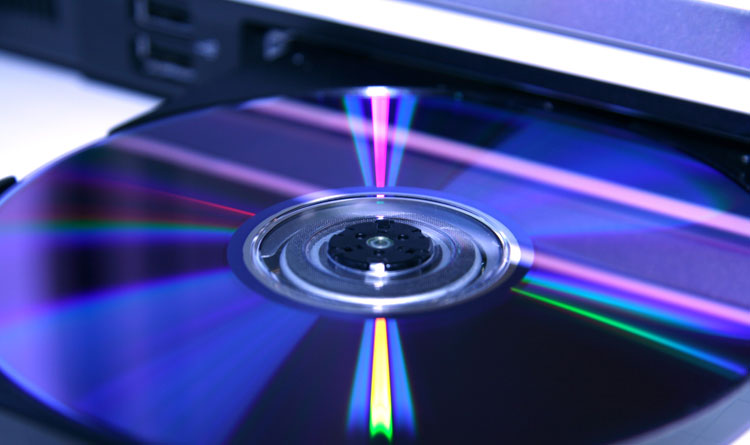 Think about how you record videos today. While portable video cameras still exist, the hulking behemoths that recorded onto cinefilm have gone the way of the dinosaurs and ultra-sleek smart phones have replaced them. These devices record videos that can be instantly transferred to DVD or stored as a file.
Cine film however is largely viewed as a museum piece and playing old reels is time consuming, costly and inconvenient. Furthermore, old cine film may degrade over time, leading to reduced picture quality or even destruction. Old memories stored on the film may be lost forever if forgotten by their owners.
There are however, ways to transfer cine film to DVD, ways to recapture your old memories and bring them into the 21st century. There are plenty of companies offering cine film to DVD services but anyone with a film projector can attempt the transfer themselves.
One old DIY method uses only a projector and a decent quality recording device. Simply project the cine film onto a flat surface and record the images yourself, ensuring the camera lines up with the projection and doesn’t shake about. The recording can then be transferred to a computer for editing and then burned onto a DVD, simple! While the quality may not be as crisp and professional looking, it is and easy and cost effective solution almost anyone can use.
Those looking for a better quality transfer however might want to consider using a telecine machine. These devices are essentially projectors outfitted with high quality cameras that can provide a much higher quality picture. They provide a much better picture quality but are extremely expensive and so buying or hiring one may be a little to expensive for most. Anyone looking to make use of them should probably approach a specialist but remember to shop around for quotes, especially if you are looking to convert a lot of film.
Ultimately, transferring old cine film to DVD isn’t hard and doesn’t have to be expensive. Most companies are affordably priced and may even offer special deals to customers with several video tapes to transfer in this way. Why let old memories fade away when converting them to a digital format really isn’t that hard?
If you’re not overly confident about doing it yourself, it can be a good idea to enlist the help of a company that specialises in taking the films of the past and transferring them onto the discs of the present (and future). All you have to do is make a payment and send them your tapes, and they should then send back discs filled with your home movies that can be played on DVD and even Blu-Ray players, though that can be quite expensive. There may not be any improvement on quality, but you can be assured that they’ll last for years to come.
Comments
Post a Comment