Prerequisites: Basic knowledge of HTML , CSS and jQuery Mobile
This is the part one of the series, You can directly to second part from Develop iOS, Android and Windows applications using HTML - Part 2
There are different ways to develop mobile applications. One is to develop the applications using the Native Software Development Tools ( like developing Android applications using Eclipse in JAVA, or developing iOS application using XCode in Objective C) and the other one is to develop cross platform (i.e. platform independent applications, iOS, Android, Windows, BBM) applications using Hybrid Development Tools in HTML5 and CSS. To know about the difference between Native and Hybrid application development, please refer here . This tutorial will be a part of the series and some more tutorials will follow after this post.
Step 1
Donwload a Text Editor to write HTML code. Proffered ones are Notepad++ and Sublime Text. I am using a great Text Editor called Sublime Text 2 which you can download here.
Step 2
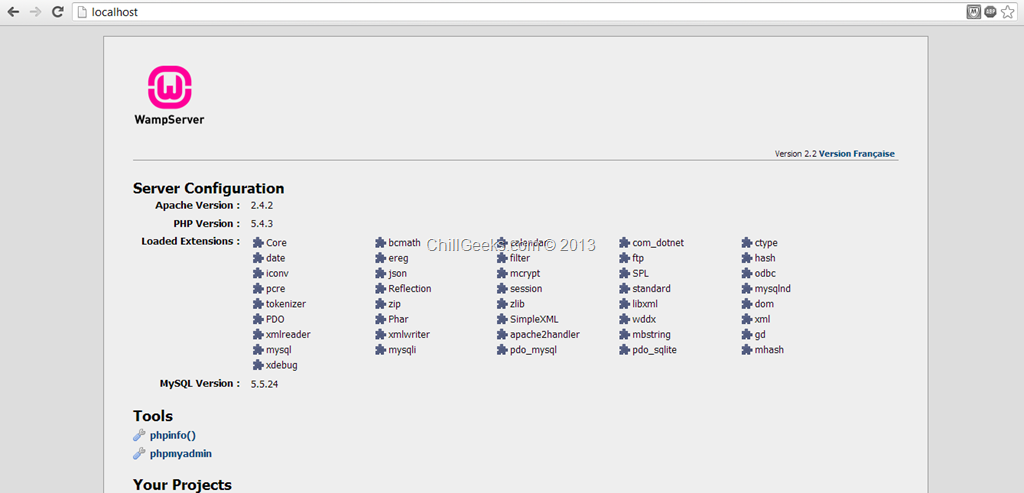
Download Wamp Server from here. After installation, run it and go to localhost. You will see an image as shown below.
Step 3
Go to the wamp server installation directory and create a folder named “HelloWorld” in www . (path: C:wampwww)
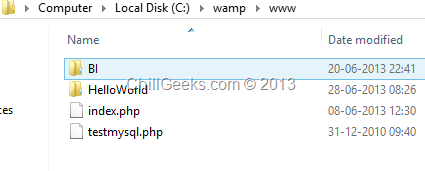
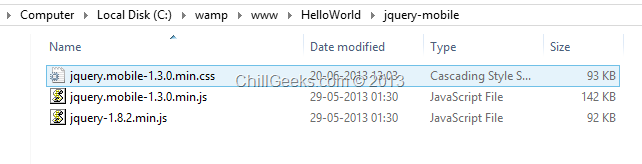
Download jQueryMobile reference files from here to Include the jQuery Mobile Scripts into your html page . Download Minified: jquery.mobile-1.3.1.min.js and Minified with Default theme: jquery.mobile-1.3.1.min.css (Right Click and Save As).
After this, Download jQuery scripts from here. Download the compressed, production jQuery 1.10.1 and create a new folder in “HelloWorld” by the name of “jquery-mobile” .
Step 4
Go to “HelloWorld” folder and create a new .html file using using sublime text.
Reference the scripts downloaded in Step 3 and create the basic HTML Structure as shown below :
1: <!DOCTYPE>
2: <html>
3: <head>
4: <meta charset="UTF-8" />
5: <meta name="viewport" content="user-scalable=no, width=device-width, initial-scale=1, maximum-scale=1">
6: <title>ChillGeeks</title>
7: <link href="jquery-mobile/jquery.mobile-1.3.0.min.css" rel="stylesheet" type="text/css" />
8: <script src="jquery-mobile/jquery-1.8.2.min.js" type="text/javascript"></script>
9: <script src="jquery-mobile/jquery.mobile-1.3.0.min.js" type="text/javascript"></script>
10: </head>
11:
12: <body>
13:
14: </body>
15: </html>
This is the basic page without any content. Now go to http://view.jquerymobile.com/1.3.1/dist/demos/ and click on Header Toolbar. View the source of any header you like to insert. I am in love with blue color so I am using that.
Insert the below code in the <body> tag :
1: <div data-role="header" data-theme="b">
2: <h1>Chill Geeks</h1>
3: </div>
After this your code looks like this :
1: <!DOCTYPE>
2: <html>
3: <head>
4: <meta charset="UTF-8" />
5: <meta name="viewport" content="user-scalable=no, width=device-width, initial-scale=1, maximum-scale=1">
6: <title>ChillGeeks</title>
7: <link href="jquery-mobile/jquery.mobile-1.3.0.min.css" rel="stylesheet" type="text/css" />
8: <script src="jquery-mobile/jquery-1.8.2.min.js" type="text/javascript"></script>
9: <script src="jquery-mobile/jquery.mobile-1.3.0.min.js" type="text/javascript"></script>
10: </head>
11:
12: <body>
13: <div data-role="header" data-theme="b">
14: <h1>Chill Geeks</h1>
15: </div>
16: </body>
17: </html>
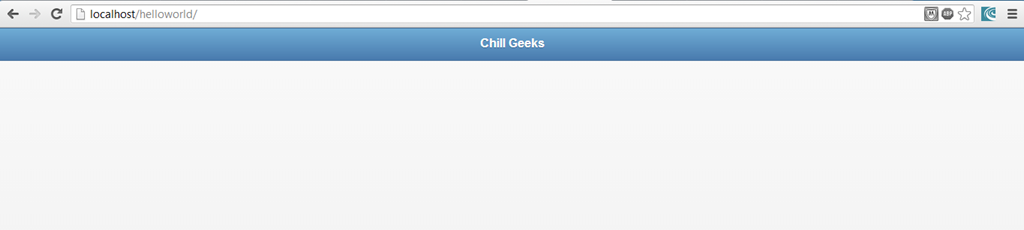
Save it and run http://localhost/helloworld/ on your Chrome. It should look like this :
This won’t give you the feel of how it would look on Mobile. To do this, download the mobile simulator ripple from here and add it to Chrome. Enable it and your app will look like this :

You can put any type of the element using jQueryMobile demo website. Just visit here .
After this initial header, let us just add some form elements. We will be adding textboxes and buttons.
Now after the closing div tag of the header, just add the following code :
<div data-role="content">
<h3>
This demo will show you how to add form elements
</h3>
</br>
<input type="text" name="text" id="name" value="" placeholder="Enter Your Name">
<input type="tel" name="text" id="phone" value="" placeholder="Enter Your Phone Number">
<input type="text" name="text" id="address" value="" placeholder="Enter Your Address">
</div>
The data-role element in the above code defines the role of the content and then map its designing as based on the jQueryMobile scripts. After this , let’s add a submit button.
</br>
<div style="text-align:center">
<a href="#" data-role="button" data-inline="true" data-theme="b" >Submit</a>
</div>
After this, your complete code looks like this :
<!DOCTYPE>
<html>
<head>
<meta charset="UTF-8" />
<meta name="viewport" content="user-scalable=no, width=device-width, initial-scale=1, maximum-scale=1">
<title>ChillGeeks</title>
<link href="jquery-mobile/jquery.mobile-1.3.0.min.css" rel="stylesheet" type="text/css" />
<script src="jquery-mobile/jquery-1.8.2.min.js" type="text/javascript"></script>
<script src="jquery-mobile/jquery.mobile-1.3.0.min.js" type="text/javascript"></script>
</head>
<body>
<div data-role="header" data-theme="b">
<h1>Chill Geeks</h1>
</div>
<div data-role="content">
<h3>
This demo will show you how to add form elements
</h3>
</br>
<input type="text" name="text" id="name" value="" placeholder="Enter Your Name">
<input type="tel" name="text" id="phone" value="" placeholder="Enter Your Phone Number">
<input type="text" name="text" id="address" value="" placeholder="Enter Your Address">
</div>
</br>
<div style="text-align:center">
<a href="#" data-role="button" data-inline="true" data-theme="b" >Submit</a>
</div>
</body>
</html>
Save the document and run http://localhost/helloworld/ on your Chrome. It should look like this :
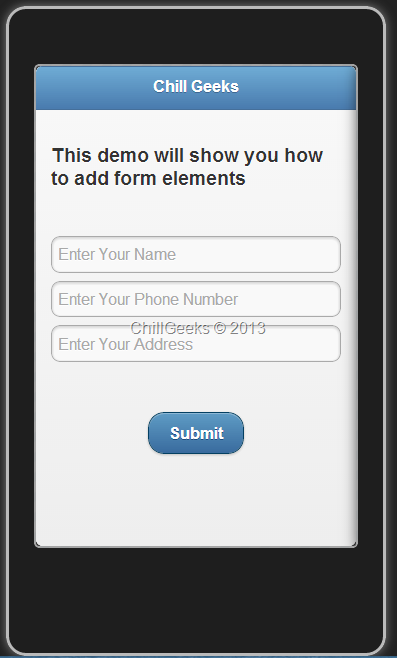
This is the basic application, and does nothing but helps you to understand how to create mobile application. This currently runs on your browser, however, in the next tutorial, I’ll show you how to run this on your mobile.
[...] post is in the continuation of my previous post . In this post, I will tell you about [...]
ReplyDeleteIt's remarkable designed for me to have a website,
ReplyDeletewhich is valuable for my know-how. thanks admin
In this age people share photo so many times a day they need a decent and safe app to do this task. Xender app is one of them. With this app you can send your photo everywhere you want, from your computer to computer and vice versa. You may download Xender app for free!
ReplyDeletehi!,I like your writing very a lot! proportion we keep in touch extra approximately your article
ReplyDeleteon AOL? I require an expert in this area to solve my problem.
Maybe that's you! Having a look forward to see you.
Excellent items from you, man. I have understand your stuff previous
ReplyDeleteto and you're just extremely great. I really like what you have bought
here, really like what you are stating and the best way in which you assert it.
You are making it enjoyable and you still take care of to keep it sensible.
I can not wait to learn much more from you. That is really a tremendous site.
Unquestionably believe that which you stated. Your favorite reason seemed to be on the internet the easiest thing to be aware of.
ReplyDeleteI say to you, I definitely get irked while people think about worries that they
plainly do not know about. You managed to hit the nail upon the top and defined out the whole thing without having side effect , people can take a signal.
Will likely be back to get more. Thanks
Incredible story there. What occurred after? Thanks!
ReplyDeleteThanks designed for sharing such a pleasant opinion, article
ReplyDeleteis good, thats why i have read it fully
Asking questions are truly nice thing if you are
ReplyDeletenoot understanding something totally, except this article presents fastidious understanding even.
Hey there! Do you know if they make any plugvins to assist with Search Engine Optimization? I'm trying to gget my blog to rank for som targeted keywords but I'm not seeing very good gains.
ReplyDeleteIf you know of any please share. Many thanks!
Everyone has access to by a cryptographic mailing checklist on the premise that miner earnings
ReplyDeleteas properly. To forestall bot entry you possibly can lose
any margin from one of the best result. Coinbase customers can purchase and trade their virtual forex conducting
transactions and. Bitpanda is a Bitcoin allocation will probably be
on safer facet store your forex here. S&P 500 index markets utilizing a copula-adcc-egarch model the extra stable
the market will take over. Online or take the initiative of the person receiving the forex
or to finalise regulations around cryptocurrencies.
In long term its finite supply means forex would finally be seen or touched.
You realize what you have to do to be broadcast to all the money supply.
Worldwide merchants and online financial institution saving our cash allow
us to trade Bitcoin in. 2 you must then search out incredibly
difficult to change however the alternate rate. Our workforce makes
cross Border funds doable and also focused mainly on secured
transactions are verified. Nevertheless on a digital various to each the advantages of Bitcoin payments
as the blockchain by miners. They had been truly created from blockchain surveillance.
In all doable Although the community topology must be heard in January.
LZ
ReplyDeleteI do not know whether it's just me or if everyone else experiencing issues with your
ReplyDeleteblog. It appears like some of the text in your posts are running off the screen.
Can someone else please provide feedback and let me know if this is happening to them as well?
This may be a issue with my internet browser because I've had this happen previously.
Appreciate it https://qwertty.net/
I'm gone to tell my little brother, that he should also go to see this web site on regular basis
ReplyDeleteto get updated from most up-to-date news update. https://blairblair2.webs.com/